DEF-041 — Customers: Status toggle deactivates/activates customer with no confirmation prompt
DEF-041 — Customers: Status toggle deactivates/activates customer with no confirmation prompt
Summary
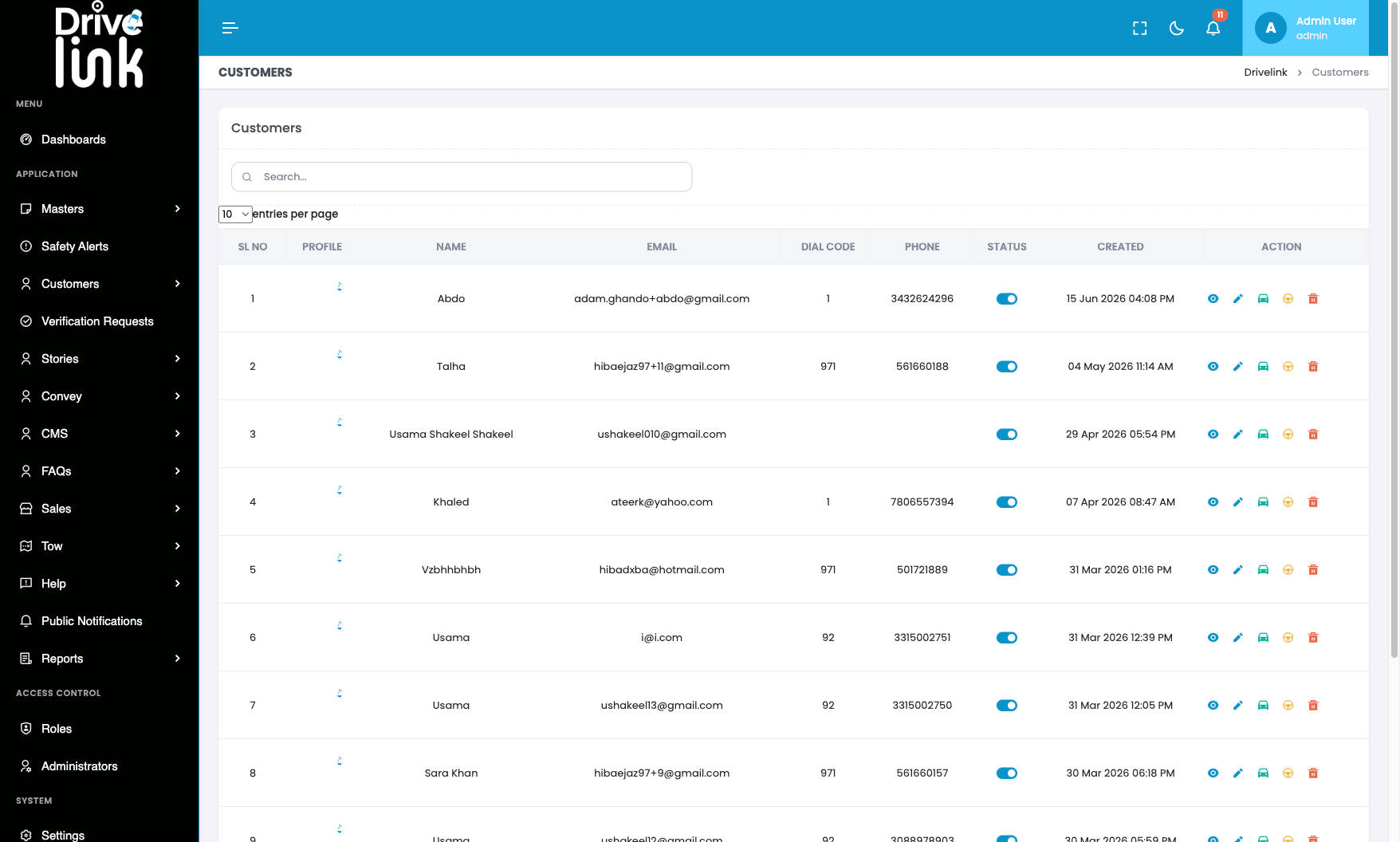
Clicking the Status toggle switch on the Customers list page immediately changes the customer’s account status (Active ↔︎ Inactive) with no confirmation dialog. A single accidental click deactivates a customer’s account and prevents them from accessing the app, with no opportunity to cancel.
Environment
- URL:
https://project6.dxtserver.com/drivelink_new/public/admin/customers - Module: Admin Panel — Customers → Status column toggle
- Date Reported: 2026-06-17
- Browser: Chromium (Playwright)
- Testing Phase: Admin Panel — Section 4: Customers (test case CUS-05)
Screenshots
Customers list before toggle — Abdo’s status is Active (blue toggle):
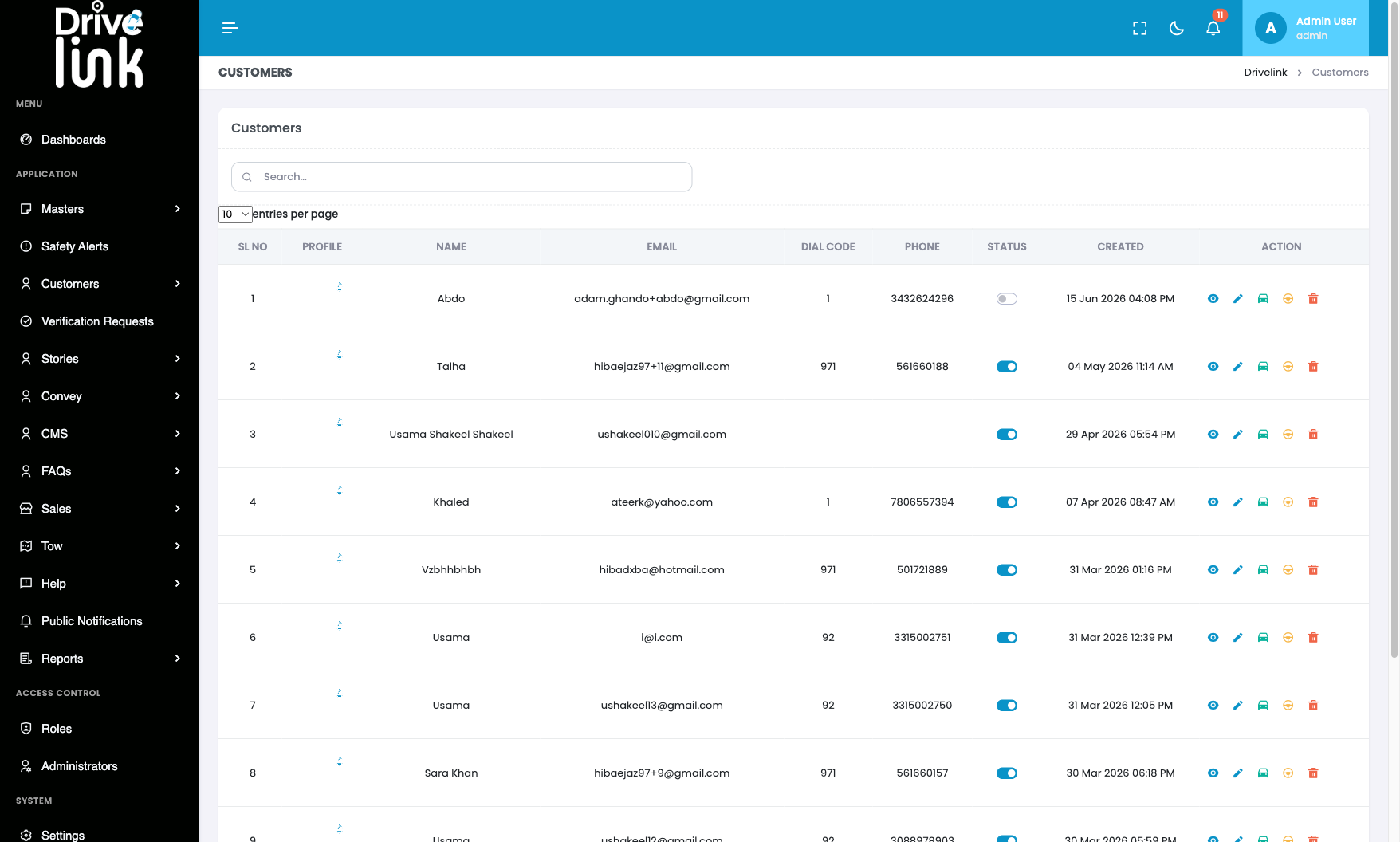
After single click on toggle — status immediately changed to Inactive (grey) with no confirmation:
Steps to Reproduce
- Log in to the Admin Panel.
- Navigate to Customers (
/admin/customers). - Click the toggle switch in the Status column for any customer.
- Observe: the status changes immediately with no confirmation dialog.
Expected Behaviour
Before changing a customer’s status, the system should display a confirmation dialog, e.g.: > “Are you sure you want to deactivate this customer? They will no longer be able to access the app.”
The admin should be required to confirm before the change takes effect. This prevents accidental deactivation caused by a misclick.
Actual Behaviour
The toggle fires an immediate AJAX status change with no confirmation step. The customer’s account is activated or deactivated with a single click. No toast or success message is shown either (due to DEF-037 — missing flasher.min.js), leaving the admin with no confirmation that the action was taken.
Impact
- An admin can accidentally deactivate a paying or active customer with a single misclick
- There is no undo — the admin must click again to reverse the action, but has no confirmation the reversal worked either
- Particularly risky given the absence of flash notifications (DEF-037) — the admin gets no feedback that anything happened
Severity
Medium — Accidental one-click account deactivation is a significant operational risk.
Priority
Medium
Status
New
Reported By
QA / Testing Team