DEF-035 — Admin Panel: Column header sorting has no effect on any table
DEF-035 — Admin Panel: Column header sorting has no effect on any table
Summary
Clicking column headers in the admin panel’s DataTables-based tables (e.g. Customers) does not sort the table data. No sort indicator (ascending/descending arrow) appears on any column header, and the row order remains unchanged after one or two clicks. Sorting is silently non-functional across all tested columns.
Environment
- URL:
https://project6.dxtserver.com/drivelink_new/public/admin/customers - Module: Admin Panel — Customers (and likely all DataTables-based pages)
- Date Reported: 2026-06-17
- Browser: Chromium (Playwright)
- Testing Phase: Admin Panel — GBL-02 Common Table Behaviour (test case GBL-02-7)
Screenshots
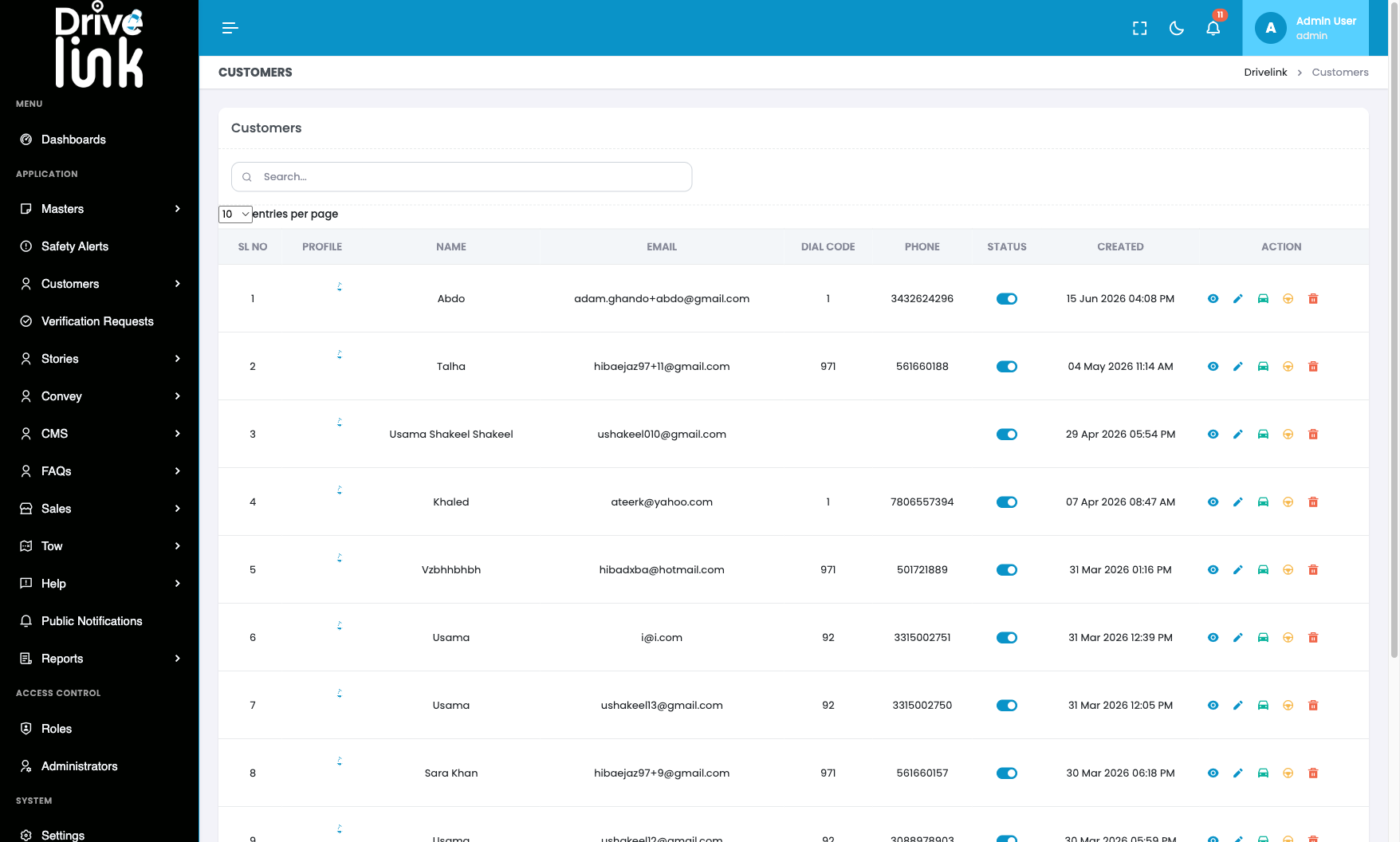
Default table order — no sort indicators on any column header:
After clicking NAME header — identical row order, no sort applied:
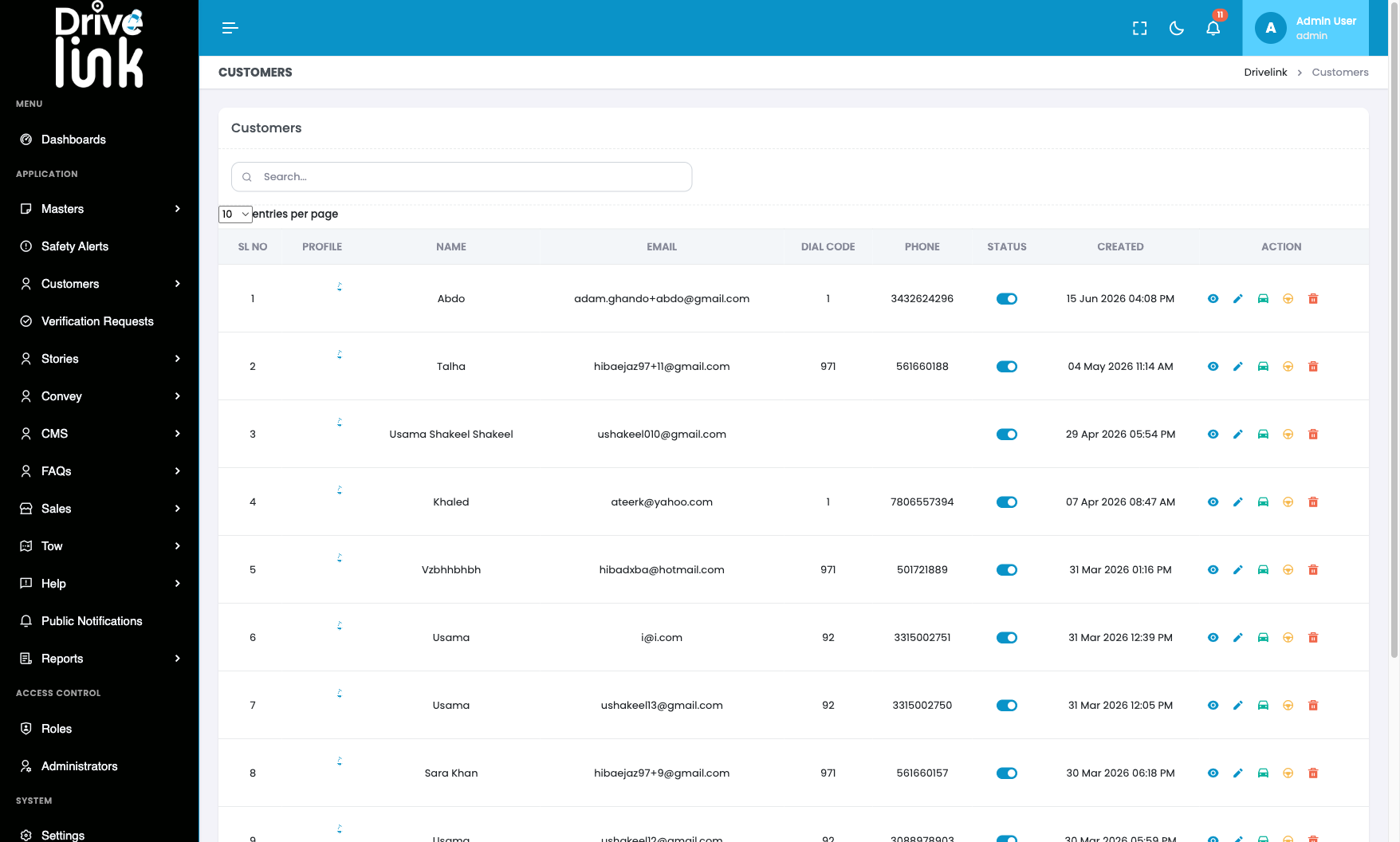
Row order is identical in both screenshots: Abdo (1), Talha (2), Usama Shakeel Shakeel (3), Khaled (4), Vzbhhbhbh (5)… If sorting were working, clicking NAME should produce alphabetical order (Abdo, Adam, Ajesh, Anil…). No sort arrows appear on any header in either state.
Steps to Reproduce
- Log in to the admin panel.
- Navigate to Customers from the sidebar.
- Observe the column headers: SL NO, PROFILE, NAME, EMAIL, DIAL CODE, PHONE, STATUS, CREATED, ACTION.
- Click the NAME header once.
- Observe the row order.
- Click NAME again.
- Observe the row order.
Expected Behaviour
- Clicking a column header once sorts the table ascending by that column (e.g. NAME → alphabetical A–Z).
- Clicking the same header again sorts descending (Z–A).
- A visual sort indicator (↑ or ↓ arrow) appears on the active sort column.
- This is the standard DataTables behaviour — the Customers table already uses DataTables for its pagination and entries-per-page control, so sorting should be enabled by default.
Actual Behaviour
- Clicking any column header has no visible effect.
- The row order remains unchanged (default insertion/creation order).
- No sort arrow appears on any column header at any time.
- Clicking the same header a second time also has no effect.
Impact
- Admins cannot sort customers by name, email, phone, or registration date.
- With 51 customers (and growing), inability to sort makes finding records even harder — especially combined with the broken search (DEF-019).
- Likely affects all DataTables-based pages across the admin panel (Sales, Tow, Help, Activity Logs, Reports, etc.) — not yet individually confirmed.
Severity
Medium — Does not break core functionality but significantly degrades the usability of all list pages, compounding the existing search defect (DEF-019).
Priority
Medium
Status
New
Reported By
QA / Testing Team