DEF-034 — Settings page breadcrumb shows ‘Dashboard’ instead of ‘Drivelink’ — inconsistent with all other pages
DEF-034 — Settings page breadcrumb shows “Dashboard” instead of “Drivelink” — inconsistent with all other pages
Summary
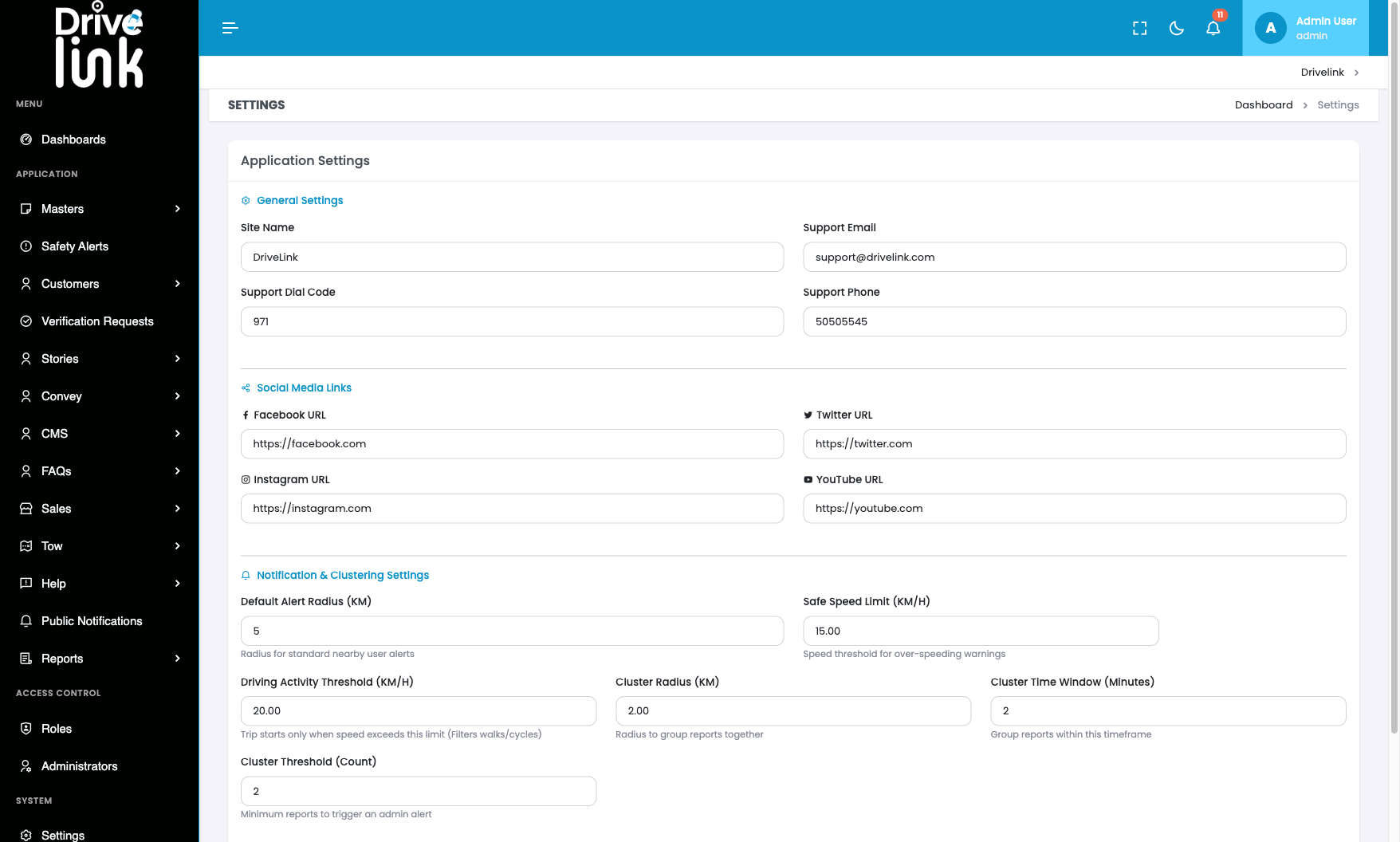
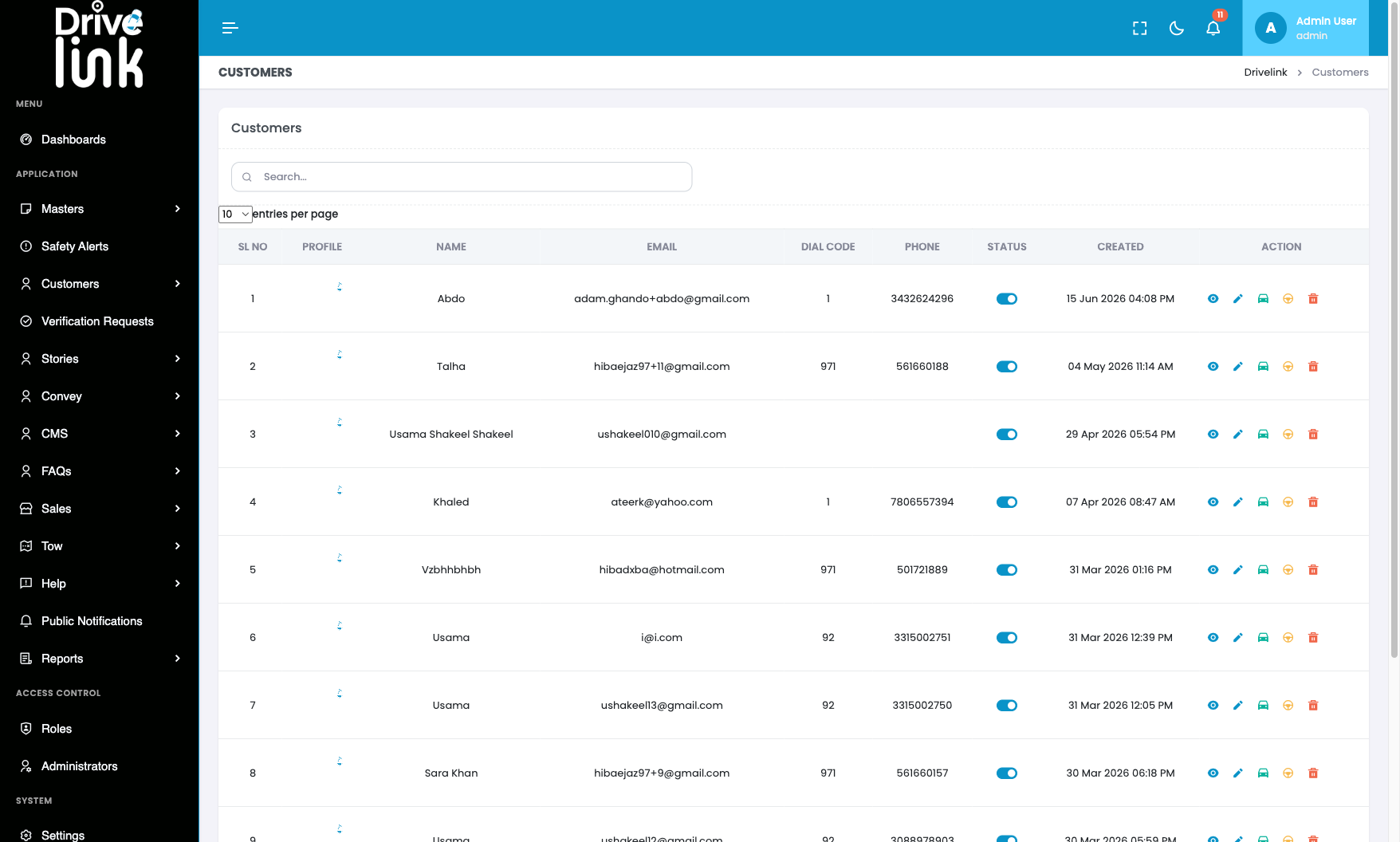
The breadcrumb trail on the Settings page reads “Dashboard › Settings”, while every other page in the admin panel uses “Drivelink › [Page Name]” as the root label. This is a cosmetic inconsistency introduced by a different breadcrumb configuration on the Settings route compared to the rest of the application.
Environment
- URL:
https://project6.dxtserver.com/drivelink_new/public/admin/settings - Module: Admin Panel — System → Settings
- Date Reported: 2026-06-17
- Browser: Chromium (Playwright)
- Testing Phase: Admin Panel — GBL-01 Authentication (test case GBL-01-11)
Screenshots
Settings page — breadcrumb shows “Dashboard › Settings” (incorrect):
Customers page — breadcrumb correctly shows “Drivelink › Customers”:
Steps to Reproduce
- Log in to the admin panel.
- Navigate to System → Settings from the sidebar.
- Observe the breadcrumb in the top-right area of the page header.
- Compare with any other page (e.g., Customers, Safety Alerts, Activity Logs).
Expected Behaviour
The breadcrumb should read: Drivelink › Settings
This is consistent with every other page in the admin panel which uses “Drivelink” as the root breadcrumb label.
Actual Behaviour
The breadcrumb reads: Dashboard › Settings
The root label is “Dashboard” instead of “Drivelink”. The “Dashboard” label links to a javascript: void(0); href (same as the “Drivelink” label on other pages), so the functional behaviour is the same — only the label text differs.
Severity
Low — Purely cosmetic. No functional impact.
Priority
Low
Status
New
Reported By
QA / Testing Team