DEF-033 — Admin login gives no error feedback when invalid credentials are submitted
DEF-033 — Admin login gives no error feedback when invalid credentials are submitted
Summary
When an admin user submits the login form with incorrect email or password, the form silently reloads with no error message, toast, or any visual indicator of failure. The user has no way to know whether their credentials were wrong, the server was unreachable, or the account is locked. This leaves the user confused and unable to self-diagnose the problem.
Environment
- URL:
https://project6.dxtserver.com/drivelink_new/public/ - Module: Admin Panel — Sign In
- Date Reported: 2026-06-17
- Browser: Chromium (Playwright)
- Testing Phase: Admin Panel — GBL-01 Authentication (test case GBL-01-2)
Screenshot
After submitting wrong credentials — no error message shown anywhere on the page:
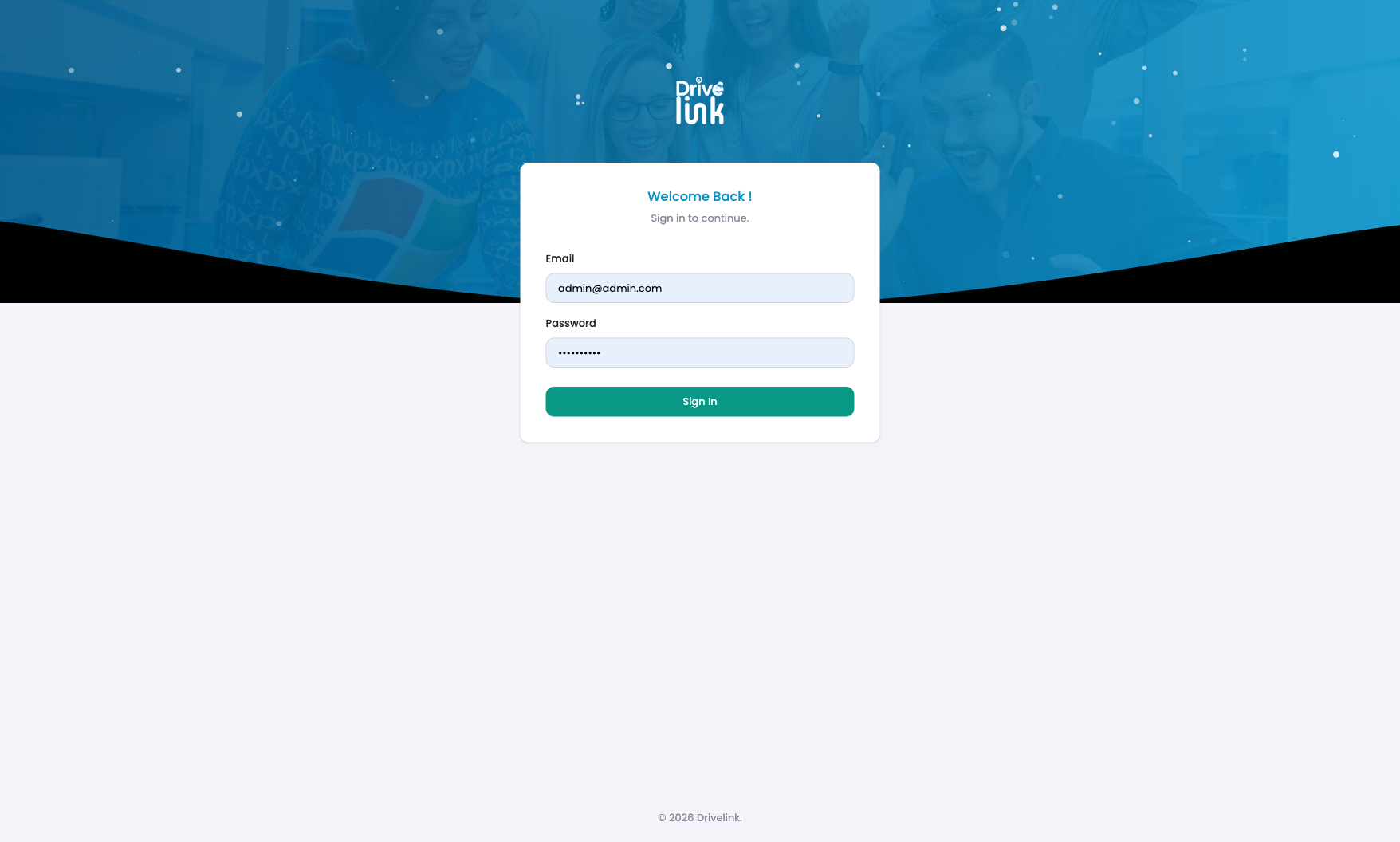
The form reloaded silently. No error banner, no inline field error, no toast notification. The Sign In button changed colour (blue → green/teal) which is the only visual change — and is not a recognised error indicator. The browser autocomplete also overrides the typed email with the last saved credential, making the failure even harder to diagnose.
Steps to Reproduce
- Navigate to
https://project6.dxtserver.com/drivelink_new/public/. - Enter any email that does not exist or any incorrect password (e.g.,
notanadmin@fake.com/WrongPassword123!). - Click Sign In.
- Observe the page after submission.
Expected Behaviour
An error message should be displayed informing the user their credentials are incorrect. Standard implementations show one of: - An inline banner: “These credentials do not match our records.” - A toast/alert: “Invalid email or password.” - Inline field error under Email or Password
The form should remain on the login page (no redirect) — which it does correctly — but the absence of any message is the defect.
Actual Behaviour
- The page stays on
/(correct — no redirect to dashboard). - No error message of any kind is displayed — no banner, no toast, no field-level error.
- The Sign In button changes colour from blue to green/teal (not a recognised error state).
- The email field is overwritten by browser autocomplete with the last saved admin email.
- The password field is repopulated with the saved admin password.
- There is no way for the user to distinguish a failed login from a processing delay.
Additional Notes
- Verified via DOM inspection: zero error-related elements exist in the page snapshot after a failed submission — no hidden elements, no
aria-liveregions, no flash messages. - A similar issue was already reported for the mobile app (DEF-009 — Change password screen shows no error on wrong current password). The admin panel has the same omission.
Severity
Medium — Functionality is not broken (correct credentials still work), but the UX failure is significant: admins who mistype their password receive zero feedback and may assume the system is down.
Priority
Medium
Status
New
Reported By
QA / Testing Team