DEF-019 — Admin Panel: Customer Search Does Not Filter Results and Resets on Submit
DEF-019 — Admin Panel: Customer Search Does Not Filter Results and Resets on Submit
Summary
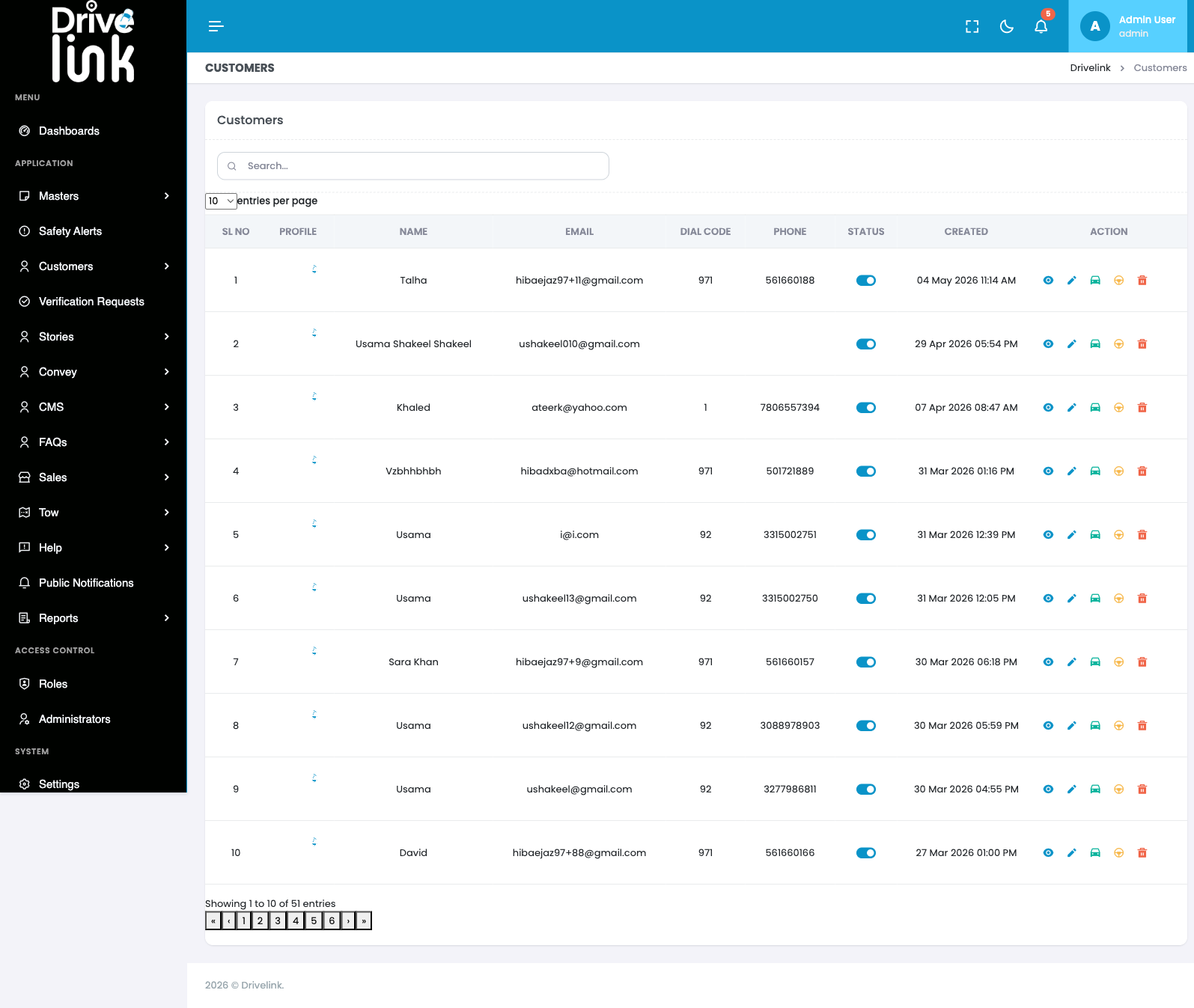
On the Customers Management page, entering a customer’s first name into the Search box and submitting (pressing Enter) does not filter the results. Instead, the page performs a full reload to /admin/customers? with an empty query string, the search box is cleared back to empty, and the table resets to the original unfiltered first page of results (1–10 of 51). The search feature is effectively non-functional.
Environment
- Platform: DriveLink Admin Panel (Web)
- URL: https://project6.dxtserver.com/drivelink_new/public/admin/customers
- Module: Admin Panel → Customers → Customers Management
- Date Reported: 2026-06-14
- Testing Phase: Backend / Admin Panel Regression Testing
Steps to Reproduce
- Log in to the Admin Panel at https://project6.dxtserver.com/drivelink_new/public/
- Navigate to Customers from the sidebar (table shows “Showing 1 to 10 of 51 entries”)
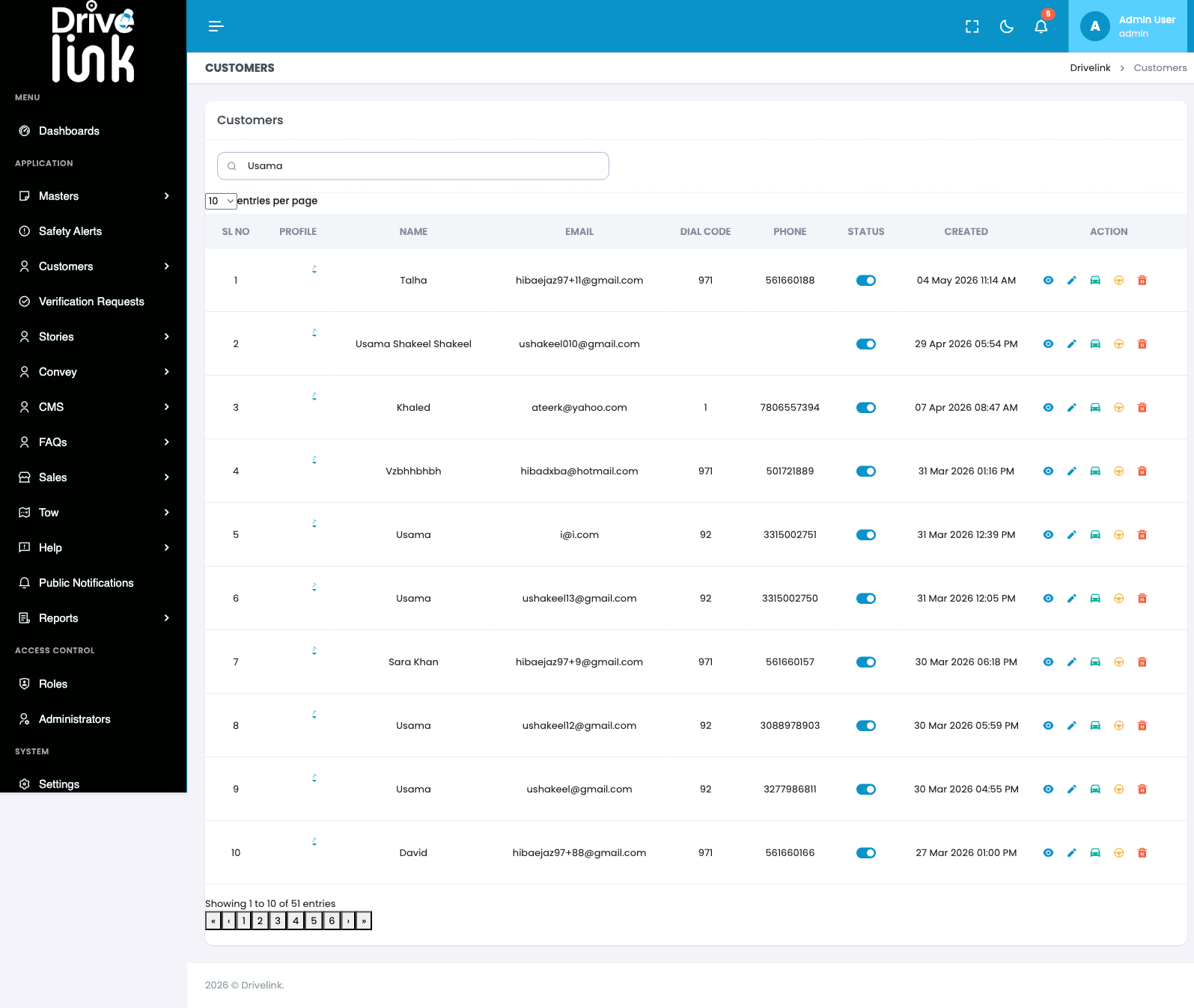
- Type an existing customer’s first name into the Search… box (e.g. “Usama” — at least 4 customers named “Usama” exist in the unfiltered list)
- Press Enter to submit the search
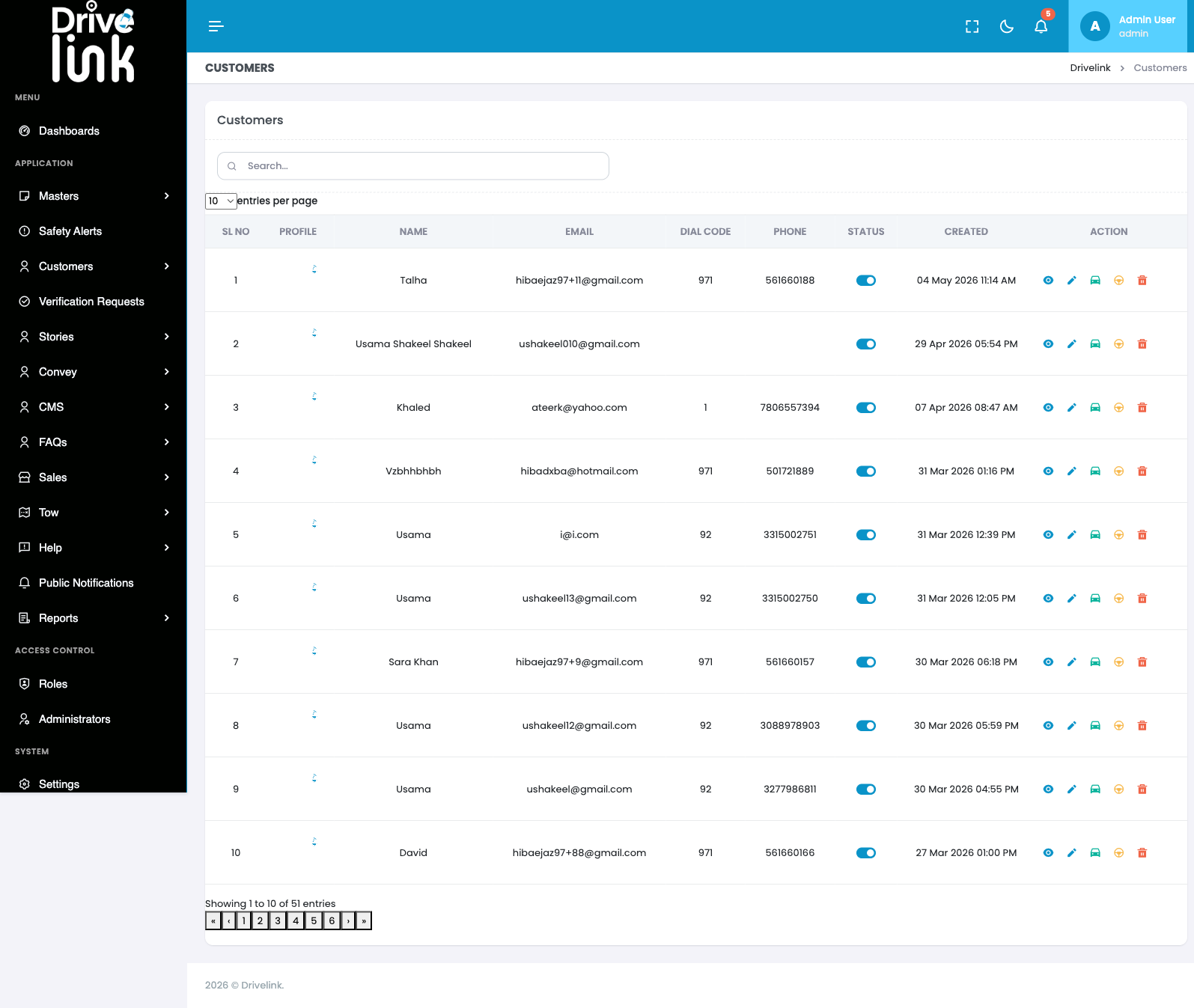
- Observe the page reloads to
/admin/customers?(empty query string) - Observe the Search box is cleared back to empty
- Observe the table still shows the same original 10 unfiltered rows (“Showing 1 to 10 of 51 entries”) — no results for “Usama” are shown despite matching customers existing
Expected Behaviour
Entering a customer’s first name (or other searchable field) into the Search box and submitting should filter the Customers table to show only matching results (e.g. all customers named “Usama”), and the entered search term should remain visible in the search box after the search executes.
Actual Behaviour
The search box does not filter the table live as text is typed. Pressing Enter triggers a full page reload to /admin/customers? with no query string, clears the search box, and resets the table to the default unfiltered first page — identical to the initial page load. No search results are returned for a term that has known matches.
Screenshots
Impact
- Admins cannot search for or locate specific customers by name
- With 51+ customer records (and growing), browsing via pagination alone is impractical
- Related to the broader full-page-reload navigation issue (DEF-017) — the search form submission is not handled via AJAX/client-side filtering
Severity
High — Core admin functionality (finding a customer) is broken, forcing admins to manually page through results.
Status
New
Reported By
QA / Testing Team